


Real Electro Drum Pad: Hip Hop
4.6114.00 Reviews
App Specs
- Version
- 11.0.2
- Updated On
- License
- Free
- Downloads
- 10,000,000+
- Developer
- Beat Blend Labs
- Categories
- Music
- Platform
- Android
Screenshots
 Analysis by AppCompare
I tend to judge a drum-pad game by how quickly it lets me get from opening it to making a rhythm. Real Electro Drum Pad: Hip Hop is built around immediate tapping rather than a long setup, so it suits short bursts of play: a few minutes between tasks, a break on the bus, or a quiet moment when I want to try out a beat. It is a music game from Beat Blend Labs, and its appeal is less about mastering a campaign than about experimenting with sounds and seeing what comes together under your fingers.
Quick sessions, with room to experiment
The basic attraction is easy to understand: tap pads, listen to the sounds, and build a pattern by combining them. That makes the learning curve approachable, especially if you have never used a virtual drum pad before. I would not expect the first few taps to sound polished; rhythm still takes practice, and a touchscreen is not the same as a physical instrument. But the low barrier to starting makes it easier to keep trying instead of getting stuck in setup menus.
That quick-start style is useful when inspiration is fleeting. If a rhythm occurs to me while I am listening to music, I can use a short session to explore its pulse rather than waiting until I have access to a full music-production setup. The trade-off is that a fast, casual interface is best for sketching ideas and playing around, not necessarily for arranging a finished track with the control of a desktop production program.
When tapping gets busy
The more interesting test is what happens when I stop tapping one pad at a time and try to coordinate several sounds. Layering can make a simple pattern feel fuller, but it also asks more of both my timing and the screen: fingers need to land where I intend, and quick sequences can become messy if I rush. I get better results by starting with a steady pulse, then adding one sound at a time. That small workflow tip makes it easier to hear whether a new layer improves the groove or just adds clutter.
For a realistic everyday use, imagine waiting for a friend at a café and having a few minutes to spare. I can tap out a basic rhythm, try a different combination of sounds, and save a promising take rather than letting the idea disappear. It is a private, low-pressure way to play; it does not require a drum kit, a rehearsal room, or prior music lessons. I would use headphones in a shared space, both to keep the tapping experience personal and to avoid turning a casual break into noise for people nearby.
How it fits among music-making options
Compared with a conventional rhythm game, this is more about making patterns than following a fixed track or chasing a score. Compared with a full beat-making workstation, it is a simpler place to start: there is less to learn before I can make a sound, but I should not expect the same depth of arrangement or production control. That middle ground is the point. It works for curiosity, casual play, and rough musical ideas; someone trying to finish a carefully mixed song may be happier with a dedicated production tool.
It is also a better fit for people who enjoy learning by doing than for anyone who wants a guided music course. The app gives me a playful space to test combinations, but the useful practice comes from listening critically: keep the beat simple, notice which sounds clash, and change only one element at a time. That approach turns random tapping into a small, repeatable exercise in timing and musical choice.
Worth Reading Before You Choose

EA SPORTS FC Mobile 26 Is a Bigger Football Game, but It Takes Time

Flipboard Shows What News Apps Must Do Beyond the Feed

Switching to Android Auto Means Rethinking Your Driving Routine

Google Calendar Makes a Crowded Week Easier to Manage

Ludo King Makes the Most of the Minutes Between Plans

Baby Panda World Brings Quick Play to Modern Phones, but Its Game Library Feels Busy
Who will enjoy it—and who may want something else
I would recommend trying it if you like hip-hop sounds, want an accessible way to play with rhythm, or simply enjoy tapping out patterns without committing to a complicated software setup. It can also be a handy first step for someone who is curious about beat-making but does not yet know whether they want to invest time in a more technical app or a physical instrument.
On the other hand, it may not satisfy a player who wants a structured challenge, detailed lessons, or extensive control over every part of a finished recording. A dedicated rhythm game is a better match if the fun comes from hitting timed notes against a track. A fuller music-production app is preferable if editing and arranging are the main goal. Those are different needs, not shortcomings that a drum-pad game can solve by itself.
Getting Started with Real Electro Drum Pad: Hip Hop
First things first, downloading the app was a breeze, and it’s available on both Android and iOS. Once installed, I was greeted by a sleek and intuitive interface, which is always a plus in my book. The app doesn’t waste time with unnecessary fluff; it gets straight to the good stuff—making music.
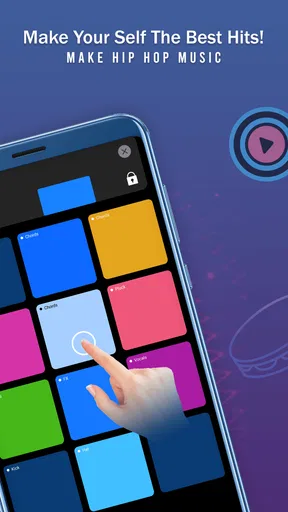
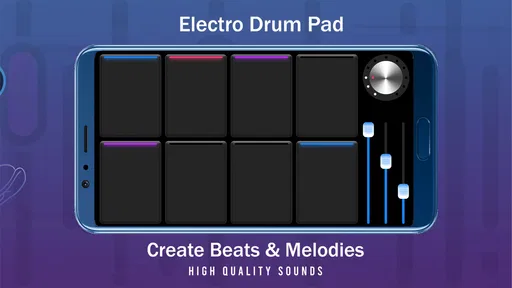
With Real Electro Drum Pad: Hip Hop, you're not just tapping on a screen; you're engaging with a comprehensive music-making tool. The app features a variety of drum pads, each with its unique sound. From classic hip hop beats to more experimental sounds, there’s a lot to explore. I spent hours just playing around with different combinations, trying to create something that sounded halfway decent.
Features That Stand Out
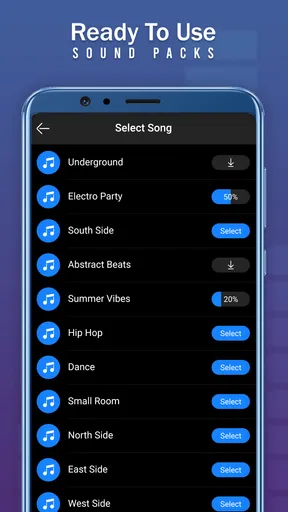
One of the standout features for me was the range of sound packs available. There are enough options to keep you busy for a long time, and they’re all pretty high quality. Whether you're into old-school hip hop or more modern beats, there's something here for every taste. The ability to layer different sounds and adjust the tempo allowed me to experiment and really get creative.
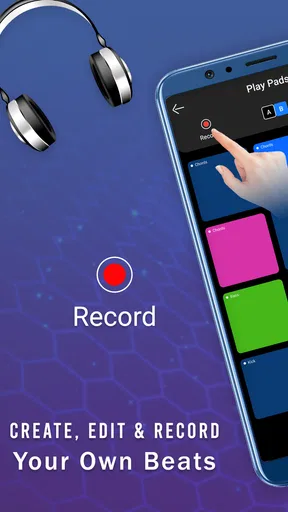
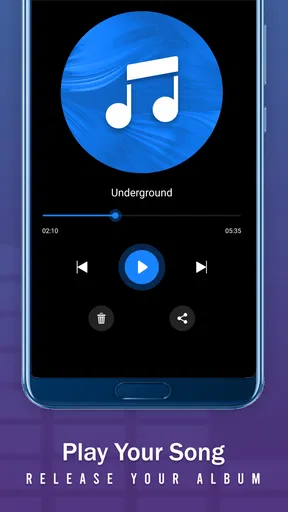
The app also includes a record function, which is perfect for those moments when you stumble upon a killer beat and don’t want to forget it. I found this feature incredibly useful, especially when I wanted to share my creations with friends. You can record your sessions in real-time and save them to revisit later.
User Experience
Let’s talk about the user experience. The controls are intuitive, which means you don’t need to be a professional musician to start making some seriously cool beats. I found myself quickly getting the hang of it, even though my expertise in music is limited to casual listening.
The app is also pretty light on ads, which is a huge relief. Nothing kills the creative flow faster than intrusive ads popping up every few seconds. Here, the ads are minimal and not at all disruptive, allowing you to focus on what really matters—making music.
Another thing worth mentioning is the app's performance. It runs smoothly without any noticeable lag, even when I had multiple sound layers going at once. This is crucial in a music app where timing is everything.
Why You Should Give It a Try
If you're looking to explore your musical side, Real Electro Drum Pad: Hip Hop offers a fun and engaging way to do so. It’s perfect for anyone from beginners to seasoned musicians looking to experiment with new sounds. The app is a great tool for improvisation and creativity, making it a must-try for music enthusiasts.
Choosing it for the right reasons
The game is free to download, and its audience is broad: it has an Everyone age rating, a 4.6 average from around 29 thousand ratings, and over 10 million installs. Those figures suggest that plenty of people are willing to give this style of casual beat play a chance, but popularity alone does not tell me whether it suits a particular musician. I would treat it as an easy entry point, not as a replacement for a drum teacher, studio software, or a physical practice pad.
It may also be worth thinking about spending before settling into a long session. The game offers in-app purchases ranging from $0.99 to $99.99 per item. I would begin with the free experience and only consider a purchase if I had already found a sound or workflow I use regularly. That keeps the decision tied to actual enjoyment instead of the temptation to unlock things before knowing whether the app fits my habits.
Saving ideas and judging the result
The record function changes how I approach a session. Rather than trying to remember every sequence, I can capture a take when it feels promising and listen back with fresh ears. A useful habit is to record a short version early, then make one change—such as altering the tempo or adding a layer—and compare the two. It makes experimentation more deliberate and helps me notice when extra sounds are weakening the groove.
I would still think of those recordings as sketches. A saved performance is handy for revisiting an idea or sharing a quick demonstration, but that is not the same as having the detailed editing and polishing tools expected from a full production environment. If the goal is to send a finished track to a collaborator, I would first check whether the recording options meet that need; if the goal is simply to preserve a beat I like, the lightweight workflow is more than enough.
Speed, stability, and device expectations
The game was released on May 18, 2022, and its current version is 11.0.2. It requires Android 8.0 or later. Those details help set a practical compatibility baseline, but they do not guarantee identical performance on every phone or tablet. Audio apps are especially sensitive to the overall device experience, so I would close demanding background tasks if the sound or touch response feels inconsistent and try again in a simpler session.
In my experience, the app feels smooth during layered play, which matters more here than flashy visuals: a delayed sound can throw off a rhythm immediately. Still, I would avoid treating that as a promise for every device or every busy situation. Large fingers, a small display, or a crowded playing surface can make accurate tapping harder even when the app itself is running well. A larger screen may help with finger placement, while a very old or heavily loaded device may be a less comfortable place to make music.
For reliability, I would build a simple recovery habit: save a take as soon as I like it rather than relying on memory, and keep a second recording if I am about to experiment with a much busier pattern. That is sensible for any spontaneous music-making session, particularly when the idea matters more than the performance. If a session is interrupted, having already captured the useful part makes it easier to pick up the creative thread without starting from nothing.
Where it falls short
There is a limit to what tapping on a screen can offer. It can be playful and expressive, but it does not give the physical feel of drumsticks or the tactile separation of hardware pads. Fast patterns may also expose the difference between what I hear in my head and what I can reliably tap on glass. I find that a slower tempo and a simpler base beat are more satisfying than trying to show off with a complicated sequence before my timing is ready.
There is another trade-off in the freedom to experiment: without a fixed song or score to guide me, I have to supply my own goal. That is enjoyable when I want open-ended play, but less appealing if I need a structured task to stay motivated. For some players, the best use will be a few creative minutes rather than a long session, and there is nothing wrong with that. The app is strongest when I treat it as a small musical playground instead of expecting it to teach or finish a complete composition for me.
Performance verdict
Beat Blend Labs has made a music game that gets to its central activity quickly and gives curious players room to try combinations, adjust tempo, and preserve ideas. Its current version is 11.0.2, and the mix of easy entry and hands-on rhythm play is the reason I would suggest trying it. I would skip it if I needed a guided course, a competitive score chase, or professional-level production controls, but for casual beat-making it offers an inviting place to start.
In conclusion, whether you’re jamming out by yourself or showing off your skills to friends, this app provides a fantastic outlet for creativity. So, what are you waiting for? Go ahead and download it, start tapping those pads, and see where your musical journey takes you.
Pros
- Intuitive interface for easy beat creation.
- Wide variety of sound packs available.
- Customizable pads for personalized setups.
- Responsive touch sensitivity for precision.
- Supports recording and export of tracks.
Cons
- Limited free sound packs
- more are paid.
- Ads can interrupt the creative flow.
- No option for MIDI controller support.
- Lacks detailed tutorials for beginners.
- High battery consumption during use.
FAQs for Real Electro Drum Pad: Hip Hop
What features does Real Electro Drum Pad: Hip Hop offer?
Real Electro Drum Pad: Hip Hop provides users with a range of features including customizable drum pads, a variety of sound packs, and pre-recorded loops to create beats effortlessly. It also includes a user-friendly interface that caters to both beginners and experienced musicians, making it easy to produce professional-quality music.
Is Real Electro Drum Pad: Hip Hop suitable for beginners?
Yes, Real Electro Drum Pad: Hip Hop is designed with beginners in mind. It offers an intuitive interface and simple navigation, allowing new users to easily learn and create music. The app also includes tutorials and guides to help users understand the basics of beat-making and music production.
Does the app require an internet connection to function?
Real Electro Drum Pad: Hip Hop can be used offline, allowing users to create music anywhere without needing an internet connection. However, to access additional sound packs or updates, an internet connection may be required to download new content and features.
Are there any in-app purchases or ads?
Yes, Real Electro Drum Pad: Hip Hop includes in-app purchases for additional sound packs and premium features. While the basic version is free, users may encounter ads. Purchasing premium options can provide an ad-free experience and unlock more advanced tools for music creation.
What devices are compatible with Real Electro Drum Pad: Hip Hop?
Real Electro Drum Pad: Hip Hop is available for both Android and iOS devices. It supports a wide range of smartphones and tablets. Users should ensure their devices meet the app’s minimum system requirements for optimal performance, which can be checked on the app’s download page.


